BBEdit 16 Revolutionizes Text Editing: Speed, Smart Shortcuts, and Visual Search Power Up Your Workflow
By Jason Snell
May 21, 2026
Bare Bones Software's legendary text editor, BBEdit, has just received a monumental upgrade. Version 16, arriving more than two years after its predecessor, is packed with an array of new features designed to dramatically enhance your text editing experience. From incredible performance boosts and deeper integration with Apple Shortcuts to innovative image text recognition and improved emoji support, BBEdit 16 is set to redefine productivity for Mac users.
Unprecedented Performance and Automation
Rich Siegel, Bare Bones founder and CEO, consistently reviews BBEdit's decades-old codebase to ensure peak performance. In this cycle, his meticulous efforts have yielded significant results, most notably an order-of-magnitude (or greater) improvement in remote file transfers via SFTP. This makes working with distant files faster and more seamless than ever before.
Unleashing Automation with Shortcuts and App Intents
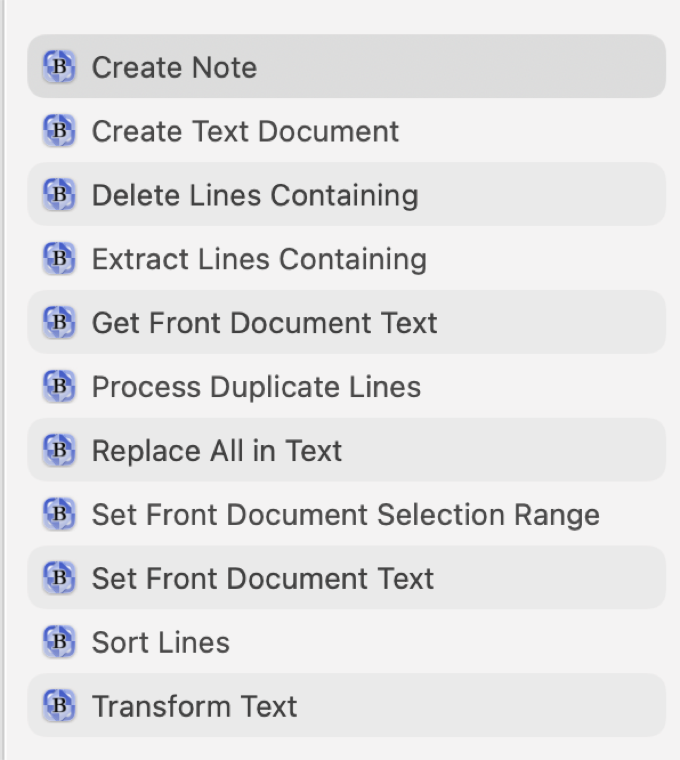
As Apple continues to expand its automation ecosystem with App Intents, BBEdit 16 steps up with a comprehensive suite of new actions directly accessible from Apple Shortcuts. This integration empowers users to automate complex text manipulation tasks with ease. You can now tap into some of BBEdit's most powerful text utility functions, such as "Delete/Extract Lines Containing" and "Process Duplicate Lines," directly from your custom Shortcuts workflows.
Innovative Features for Modern Workflows
Visual Search and Enhanced Emoji Support
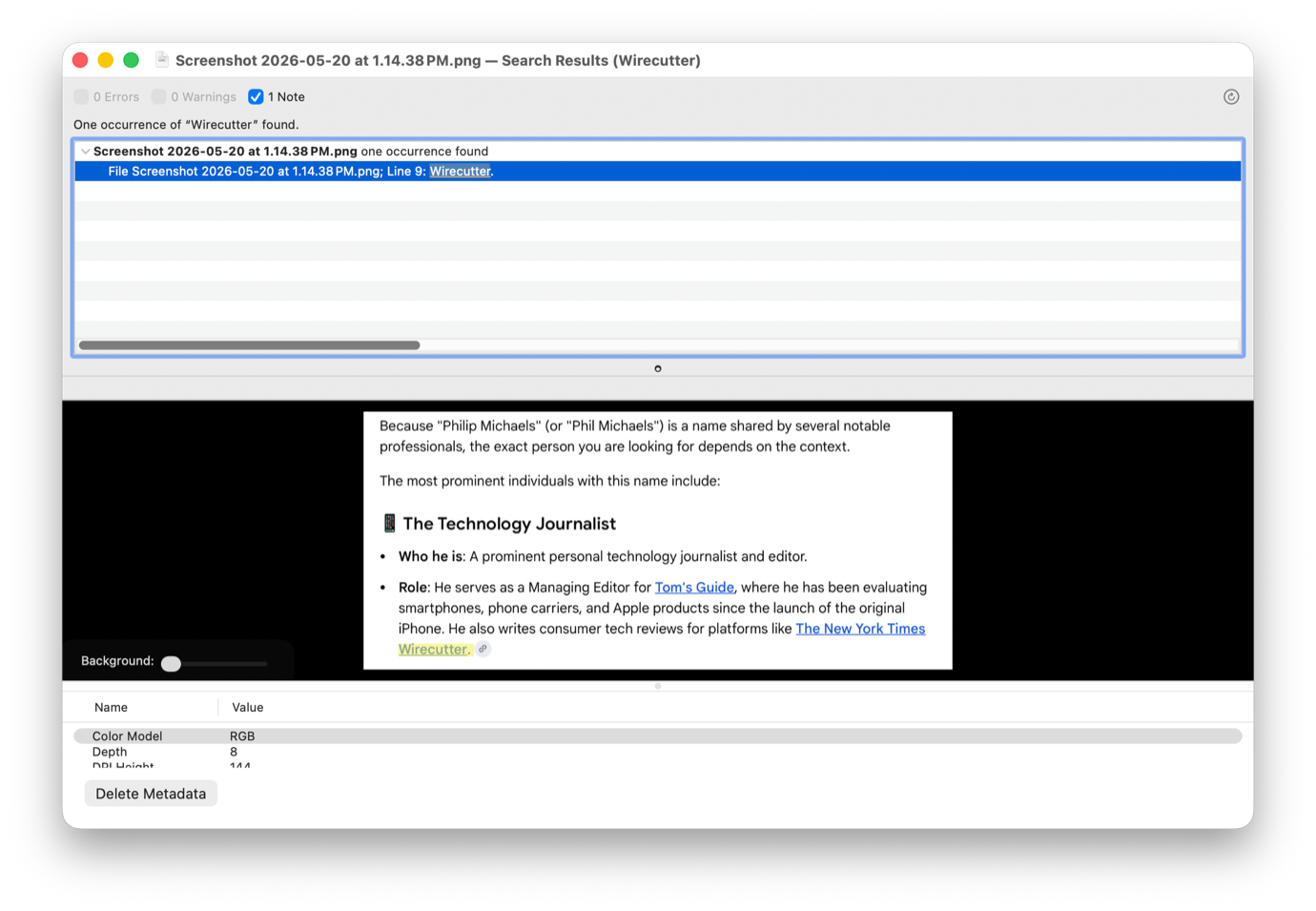
One of the standout new features in BBEdit 16 is its ability to find text within images during project searches, powered by Apple's VisionKit. This revolutionary capability means you can now locate specific content buried within screenshots or scanned documents directly from your BBEdit projects. Furthermore, emoji support has been seriously improved, finally resolving the frustrating "Zero Width Joiner" abyss that often fragmented complex emojis into their component parts.
Beyond the Basics: More Enhancements
BBEdit 16 doesn't stop there. It also introduces:
- Support for the W3C's online HTML checker, ensuring your web projects meet the highest standards.
- Speed improvements for AI worksheets, boosting efficiency for specialized tasks.
- Significant changes to syntax coloring, offering a more refined and customizable coding experience.
- A new index in the side of Notebooks for better organization.
- Support for separate settings to deploy projects to both test and production environments, streamlining development workflows.
- And for those who prefer classic command-line editing, BBEdit 16 now includes support for
vikeybindings.
Bare Bones Software proudly notes over 100 new feature additions, meticulously detailed in their usual comprehensive release notes.
An Indispensable Tool for Every Mac User
As a long-time user, I consider BBEdit to be perhaps the single most important application on my Mac. Its blend of power, flexibility, and reliability makes it an indispensable tool, not just for developers, but for anyone who works extensively with text. The best part? Many of its core features are available for free, making it accessible to everyone. In my opinion, every Mac user should have a copy of BBEdit readily available.
Pricing and Availability
The release of BBEdit 16.0 also generously resets the free trial mode, allowing users to explore all its advanced features without commitment. For those ready to own it, the paid version is available for $60. Existing users can upgrade at a reduced price: $30 for version 15 users, and $40 for earlier versions. Additionally, BBEdit 16 is available via the Mac App Store with a flexible subscription model of $5/month or $50/year.
If you appreciate articles like this one, support us by becoming a Six Colors subscriber. Subscribers get access to an exclusive podcast, members-only stories, and a special community.